
@chupathingie
Forum Replies Created
-
AuthorPosts
-
chupathingie
ParticipantI could make you a helluva dill on one, Plama.
Argh. I think I feel physical pain after that one.
He’s just gherkin you around.
ParticipantWhy did I read that entire exchange in the windows computer voice?
ParticipantI rarely get really good seeing here… have to go a couple 3 hours west of here to get into the drier desert air. It is, however a big step up from the orange glow of DFW that I dealt with for years.
And yep, I like Stellarium… easy interface with full-screen goodness. Can’t beat free, either. I made it a goal of mine to use nothing but no-cost software a few years ago, so Stellarium has been a godsend.
ParticipantNot sure what to say about the link not working…
/fires up stellarium… damn. Sagittarius won’t be full up til 4AM. Looks like I’m gonna pass on that tonight. Ain’t had jack for sleep this week, and I need some.
Participantok, to post a link to the CSC, I use:
[ url =http://cleardarksky.com/c/CldAACTXkey.html][ img ]http://cleardarksky.com/c/CldAACTXcs0.gif[ /img ][ /url ] in the top sig field of my profile.
remove the spaces around “img”, “/img”, “url” and “/url”. Look up the gif and link address by visiting http://cleardarksky.com/csk/ then select your location. after that, click the link on the left that says “How can I put the Chart on my web page?” and it will embed the appropriate address in the text of the FAQ. Just pattern it after my example above, and you should be set.
Participanttest… only a test…
 Participant
Ohhhh, is THAT what that thing is? My first time clicking it – pretty cool. When you pull out the tracking mount, does that generally mean you’re doing a time-lapse video? Let us know how it turns out.
Planning on a series of maybe 2 min exposures at f1.2. I’ll go longer if I can, but this mount’s pretty unsteady. I’ve gone 5 mins before with it though, so we’ll see. also depending on how light the light pollution is, so I won’t know what exposures I can get away with until after a few test shots.
As far as making that CSC post to the sig, I’ll have to dig that up in a bit and get back…
Participantheh… that lens looks vaguely familiar…

55mm f1.2, found for $20 in a camera shop in Pocatello Idaho a few years ago. Couldn’t pass it up, but I still have yet to get to a dark-sky site to do what I wanted to with it…Participantbeen a while since I looked, but last I knew there was no linux port.
/runs to google
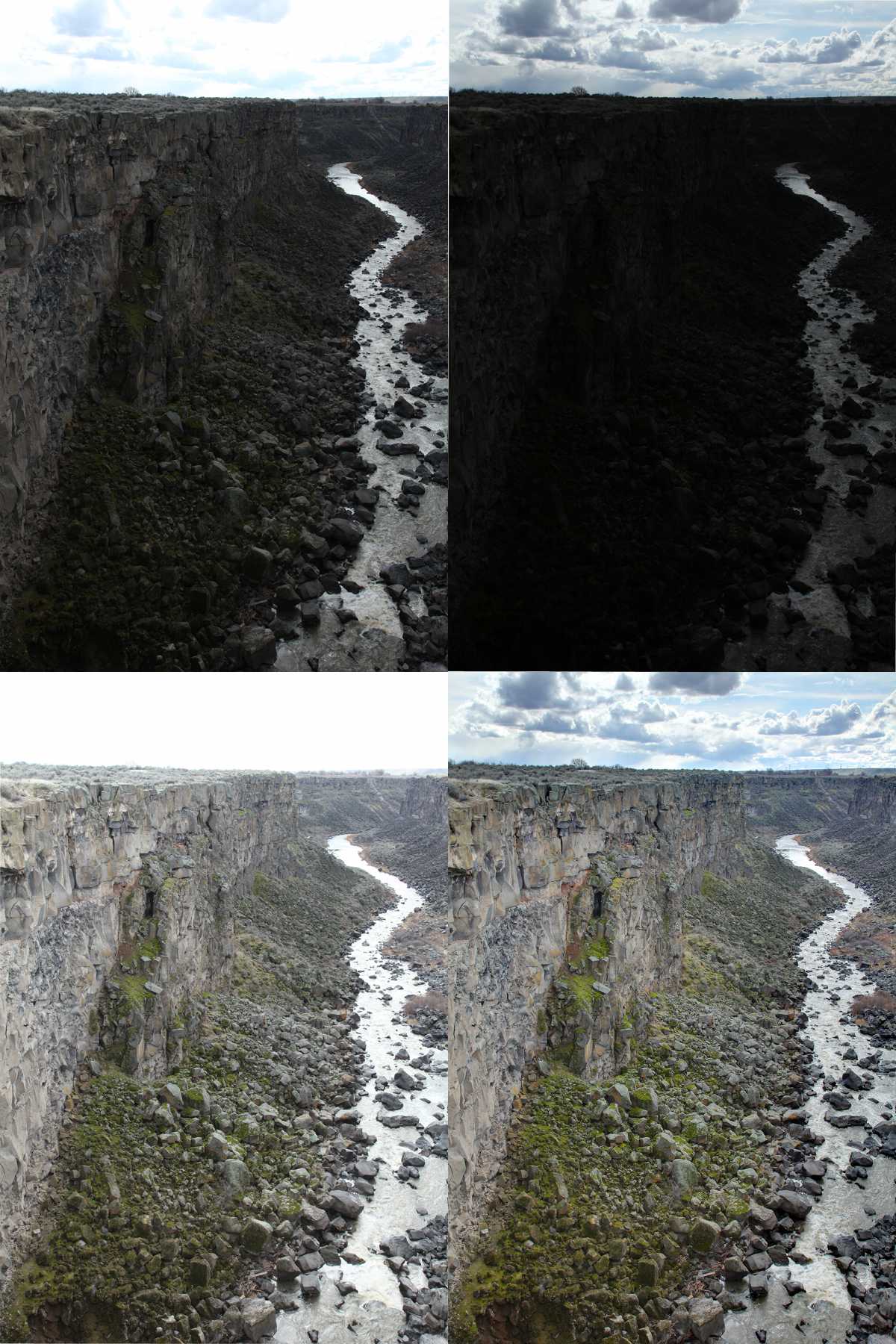
ParticipantThis series I shot hand-held (man, but I loves me some auto-bracketing), but if I’m doing more than 3 subs I’ll use a tripod. Even then, I run them through align-image-stack before compositing (see first post) since I never seem to manage to not nudge my rig changing exposure settings.
Here’s the 0,-2,+2, fused series: (if I’m making these too large for convenience, say the word and I’ll resize). If you look closely, you can see where the stacker has corrected for drift and yaw…
 Participant
[piningforthefjords]how I miss irfanview…[/piningforhtefjords]
Big difference between the two. You won’t need a desklamp anymore… 😉
My wife has a Samsung, and the big screen in the livingroom is also… she loves her monitor, and the pic on the big screen looks great. Had I the money at the time, I’d have bought one…
ParticipantI just ran a sequence through enfuse vs my usual qtpfsgui settings… I think I like the more natural look of enfuse. I tried a handful of manual methods in gimp (gleaned from whatever PS tutorials I could find) and though they worked fairly well with the demo images, the results with a sampling from my collection of bracketed landscapes looked like poop. Tonemapping algorithms are pretty finicky, and results vary depending on everything from image size to level of detail.
Anyway, here’s my comparison… qtpfsgui, left; and enfuse, right:
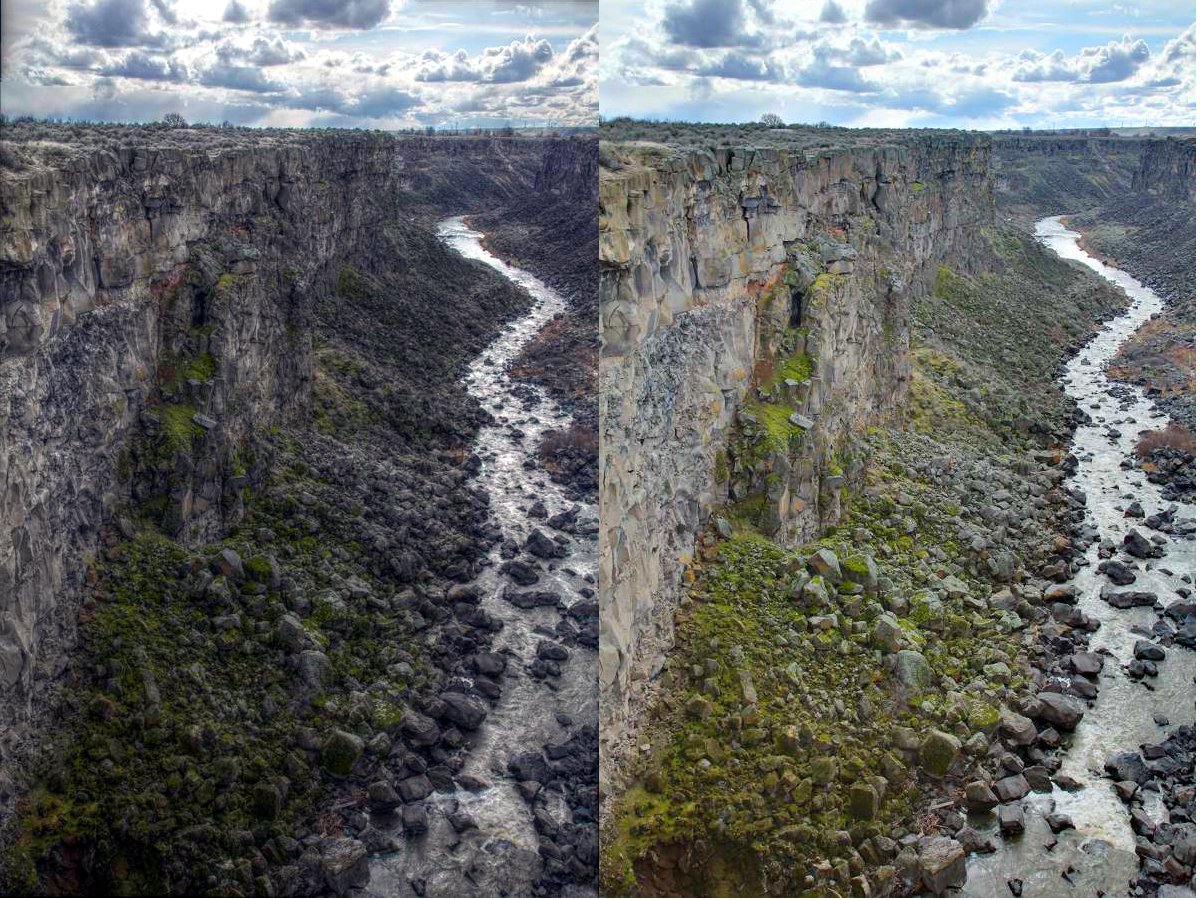
The halo along the horizon in the left image really sticks out. No halo at all in the enfuse image. Plus the colors look natural (to me, anyway). Even though I find the qtpfsgui image interesting to look at, the Emo Pallette isn’t what I’m looking for. Enfuse’s processing more closely resembles the scene as I remember it; and it doesn’t make you think “HDR” as soon as you look at it.
ParticipantThrow in some extender rings, for $75/set you’ll really be able to get in close with some macro (I’m all over that soonly, myself)
ParticipantA quick run-down for the CLI-averse (I know that code up there looks like greek to most):
align_image_stack -m -a ais *.JPG
This pulls all of the .jpgs in the directory and registers them, then outputs new images as described below. The -m option forces scaling on the second to last images so that their FOV matches the first image. The -a option forces output images to be incremented beginning with “ais” (.tif is default, so ais0000.tif, ais0001.tif etc for however many images are in the directory). *.jpg simply says to perform the operation on all .jpgs in the directory. Change to *.tiff or whatever format your images are in. Default bit depth seems to be whatever the bit depth of the originals are, so 16bit tif in= 16bit tif out.enfuse -o result.tif –exposure-weight=1 –saturation-weight=0 –contrast-weight=0 *.tif
calls enfuse with the following options:
“-o result.tif” specifies the output filename and type. Default is “a.tif” if unspecified. Output bit depth also equals input bit depth.“–exposure-weight=1” gives priority to pixels that are closest to the center of the histogram.
“–saturation-weight=0” and “–contrast-weight=0” disables these two options from their defaults (we’re interested in exposure levels with HDR, so they are not needed).
“*.tif” sets the input images, ie all tiffs in the directory. If your original files were tiffs, this should read “ais*.tif” to avoid loading the unregistered images that have not been processed by align_image_stack.
Participantsoosh, if your camera does video and you get time, try an experiment for me (I’d do this myself, but I’m not in possession of macro gear ATM). I can’t see why this wouldn’t work…
Take video as you sweep your focal plane from near to far on the subject, then break the vid up into individual frames. Feed those into Zerene. I’m thinking you’d trade resolution for # of frames on subjects that don’t want to sit still for long. It might be worth the effort, 1920X1080 certainly is big enough for web display, even if it’s a bit low for print.
edit: are you using the trial or full version? Is it worth the $90?
-
AuthorPosts
