
@causeisaidso
Forum Replies Created
-
AuthorPosts
-
CauseISaidSo
ParticipantCISS, I had a thought. Your two are reminiscent of a Boston or Kansas album cover, especially the daytime version. Two of my favorite bands from childhood through today, in no small part because of their album art.
Wow, thanks much, fluffy; that’s an unbelievable compliment, ’cause I’m right there with you. Kansas was the first show I ever saw, during their Point of Know Return tour. Loverboy opened for them (meh). And Steve Walsh had a sore throat so the vocals weren’t great. I still loved it. I’ve seen them at least half a dozen times since. The only band I’ve seen more times is probably (and this is really going to date me) Grand Funk.
And as for your tulip, I can’t really say much more than what Yugoboy said – Wow! I assumed it was just talented use of a liquify tool, but that certainly explains its realism. And here’s an example – my wife was looking over my shoulder while I was browsing the results and she saw your tulip in 2nd and said (now bear with me, it gets better ;)), “what’s so great about that?” When I explained that you created the drips and that they weren’t real, she then said, “oh, wow!”
ParticipantAwesome, Kes! I can see why they picked that shot.
// And a tip of the hat as well to ennui standing off in the shadows.
Participantfluffy, can you post a link to your original tulip? Your “liquify” effect is really well done and I just want to get an idea of what all went into it.
ParticipantMy pleasure. If you come up with anything particularly interesting or cool, please share!
ParticipantIn the Tips & Tricks section, How to make a mini planet or ringworld.
And this is the last I’ll say about the current debate: For me, this forum & the contests are about having some fun with a hobby I enjoy. And I don’t consider this contest that far off the beaten path because as I said earlier, “cut ‘n paste” or “layering with selective erasing” or “non-homogeneous transparency” or whatever you want to call it is used not only in the art world but also commercially all the time. Do I want to do this every week? Hell no. But this was a fun diversion and I wouldn’t mind doing it again in a couple of years.
Yes, it’s great to learn from others, hone my photography skills, have some light-hearted competition. But once that stops being fun… Let’s just say that I’ve got enough un-fun things in my life without voluntarily introducing others.
ParticipantStep 4: Stretch and distort.
Rotate your now seamless panorama 180 degrees so that it’s upside down and then resize it to be square. (In Photoshop, clear the “Constrain Proportions” checkbox so that you can resize without regard to original scale.)
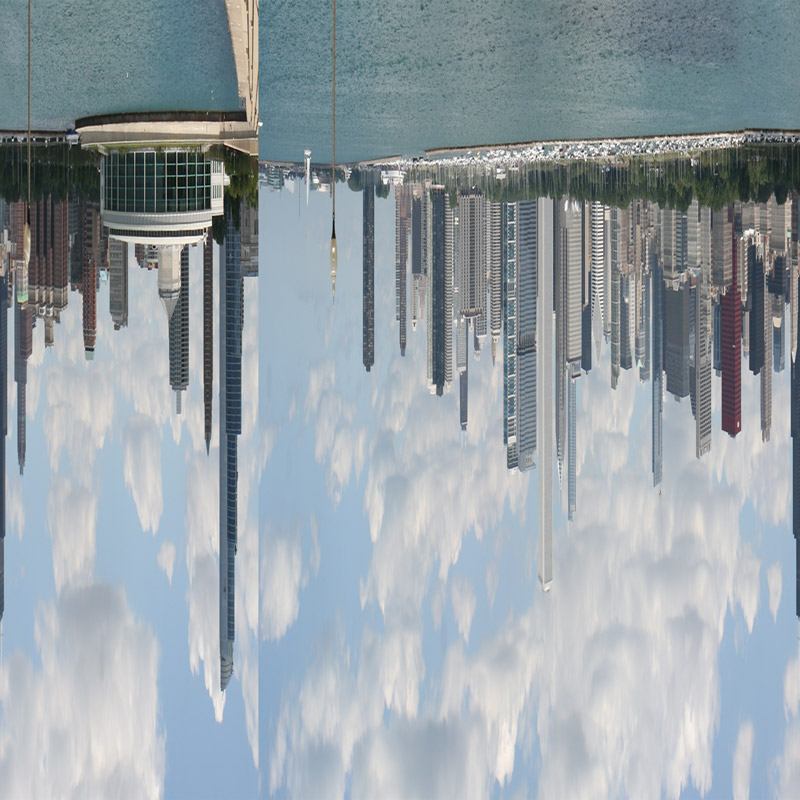
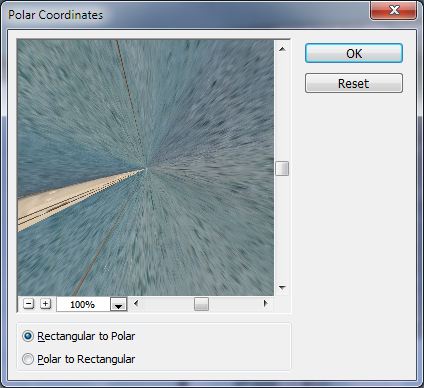
From the Filter menu, choose Distort/Polar Coordinates…, make sure “Rectangular to Polar” is selected and then click OK.
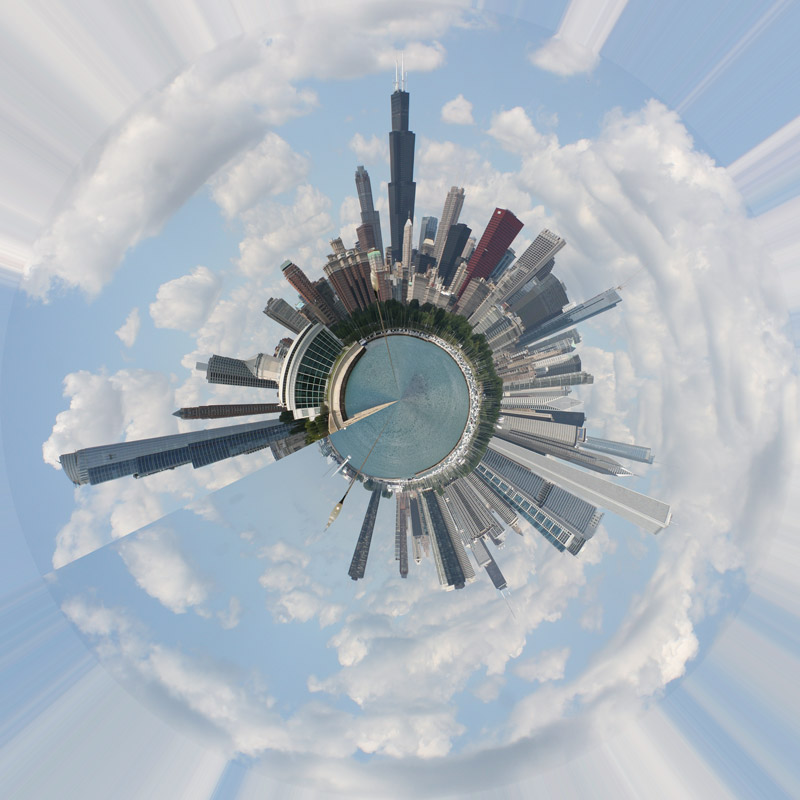
Et voila! (Note that this shows what happens if you don’t make the join seamless.)
To make a ringworld instead of a planet, don’t rotate the image before stretching it square.
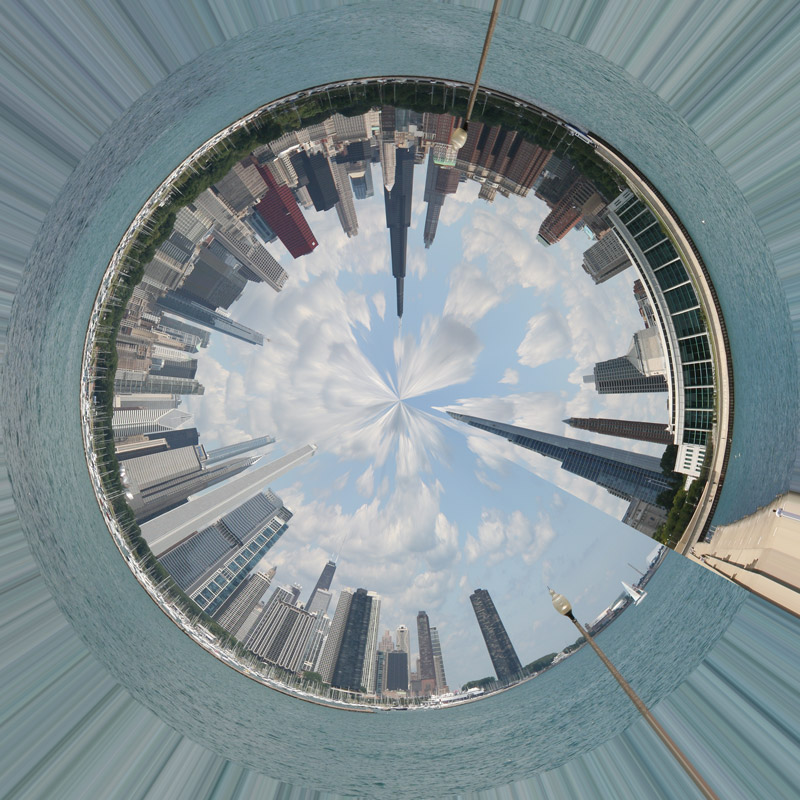
For Planet Chicago, I added a white vignette to hide the distortion lines around the edges. For Ringworld Chicago, I included more of the reflections/water below the buildings in the rectangular panorama and then cropped out the edge distortion.
ParticipantStep 3: Make the ends seamless.
The left and right ends of the panorama are going to meet up together in the final result, so they need to merge seamlessly. You can do this by editing both ends separately, but I found it a lot easier to segment the panorama into two pieces and then shift those pieces so that the ends meet up.
The left and right ends will meet at the “north pole”, so decide what you want to be there. In my case, I wanted the Willis/Sears Tower to be at due north so I split my panorama like so:

Note that I split the image from step 2 into two pieces right in the middle of the Willis Tower, shifted the right piece to the far left and then moved the left piece to the far right.
And now for the magic. This is like “Step 2: ???” of the underpants gnome meme or “this exercise left to the reader” in college textbooks. I didn’t save any of my intermediate work and I’m damn sure not about to reproduce it for this tutorial 😉 (it was hours and hours), but you’ve got to edit that seam where the two pieces meet so that it looks continuous.
For Planet Chicago, I copied a section of the image containing the right half of the Shedd Aquarium (the circular building), flipped it horizontally and pasted it on top of the left section so that the water was continuous and then edited the horizons so join together and partially erased the background so that the original background buildings showed through. I also removed the lamp posts as they otherwise get really large and obtrusive in the final result.
ParticipantStep 2: Crop and align the horizon.
Open the panorama in Photoshop and crop it as desired. Keep in mind the tip from step 1; cropping close to the buildings will make them seem taller.
After you’ve got a rough initial crop, drag a guide line from the ruler and use it to rotate the panorama to align the horizon on both sides (if necessary). These two sides will meet up in the final result, so it’s critical that they’re aligned.
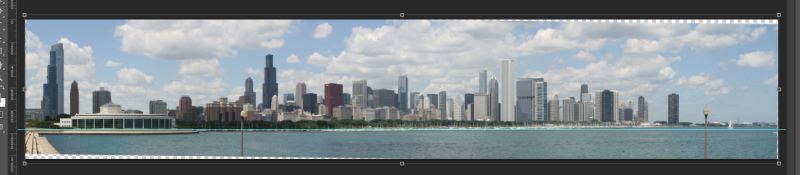
Crop again if necessary to remove any transparent regions introduced by the rotation.
ParticipantHey CISS,
How did you do those circular panoramas?
Now that the contest’s started, I’m happy to share that, swampa. 🙂 At its core, it’s pretty simple, but there are a couple of tricks I discovered, so let me put together a quick tutorial and I’ll post it in the Tips & Tricks section.
ParticipantNow, if you will all excuse me, I have something I need to be doing right now:
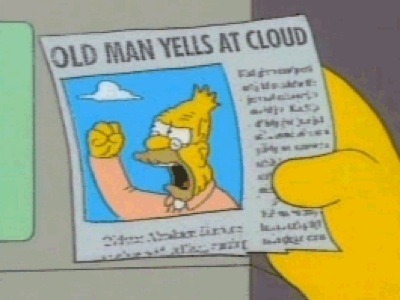
Ooh, ooh, you’re just the man I need to talk to! I’m facing the big five-oh in about a month, so I need to know – is the white onion on the belt still the style these days or is the retro yellow the “in” thing now?
Participantorionid, on a specific note – your “Persona” shot wouldn’t have been allowed under the previous tighter rules, but I think it’s a nice piece of art. Didn’t you have fun with that? Doesn’t it express something about you that you wouldn’t have otherwise been able to get out?
Participant/feeling a little damned if I do, damned if I don’t here…
Please don’t. You did exactly what a mod should do – open the topic for discussion, gather a consensus, and let us abide by it. Since I’m likely the source of all this mess, let me try to address some of orionid’s & Curious’ concerns.
I understand you guys are coming from a purist’s standpoint, and I respect that. I don’t take personally any of the issues you’ve raised but rather consider it genial discourse about the topic under debate, so I hope y’all will see my words in the same light.
This theme isn’t really about technical photography; it’s about photographic art. It comprises at most 1 out of 104 contests. And it’s not as if these techniques aren’t represented in both commercial and art photography; look at any magazine cover, print ad, original art on places like deviantart – most have been manipulated and combined to varying degrees to create new pieces from multiple sources or to create realistic representations of things that are physically impossible to photograph.
We have HDR themes. We have filter themes. This theme is “Software Hootenanny” where we encourage creative use of techniques not normally allowed in our other contests. Why should we limit that creativity? What’s wrong with allowing the photographer to make something new and unique from his original content (as long as it’s all his original content)?
What makes this different from PS contents is that everything still has to be the photographer’s original source material, and if that’s crap, no amount of filters, HDR, or cutting and pasting is going to change that.
Curious specifically mentioned one of my example photos, the one of the 3 boys behind the tree (note that that’s not my creation, I just found it on the web). Personally, I think that required a lot more creativity, foresight with a specific end result in mind, and photographic talent than simply taking a photo and running through a list of filters on a menu until you find one that looks cool (unless you personally wrote the filter).
ParticipantHas to be a photo, Yugoboy. That one’s a pretty hard long-established rule, even in an “anything goes” contest.
Speaking of which – Elsinore, what theme description are you going with for the first post tonight? I need to setup the scraper and wasn’t sure whether we were sticking with the original description in spite of the relaxed rules or going with another.
ParticipantIf I’m honest about it, I don’t think I’d post very far in advance even if/when I had TF just out of competitiveness. There’s too much creativity and talent out there to be giving anyone else ideas and letting them know what they’re up against too far ahead of time! After the contest starts, I’m all about sharing ideas and techniques, but before then, it’s dog-eat-dog, every-man/woman-for-himself/herself! 😆
That said, though, I think that the non-regular TFers who pop in every year or two because they happen to have a shot that fits the theme would post early, so maybe if there’s a lot of that, it would force regular TFers to enter earlier for position. And maybe having examples of the theme available for a week or two prior would get more casuals involved after they see what’s acceptable.
Bottom line, I’m good either way, especially if it’ll help raise participation and voting.
ParticipantAlso, new themes are up.
Thanks Els. Also, good job on the unique author attribution taglines you put in every theme post. You’re quite the wit with those! 😆
-
AuthorPosts
